Discovering the Escalation Use Case in Risk-Enabled Access Requests
Turning on risk detection changed who reviews an access request. A second persona surfaced — Risk Owners — and with it an escalation use case covering 20–30% of reviews. I designed a single review flow that deepens on demand: risk explained at the depth each reviewer can act on, and a temporary hand-off to a Risk Owner that always comes back.
Project Outcomes
20–30%
of reviews escalate
Discovered both the Risk Owner persona and the escalation use case — the reviews a People Manager cannot finish alone.
2021
release shipped
Risk Criticality and the presentation ecosystem were adopted across our other security products.
+30%
NPS
Across 8 major clients including Shell and BP, reaching 1,000+ primary users and closing 10+ customer tickets.
Problem
How to Incorporate Risk content into the Request Review flow?
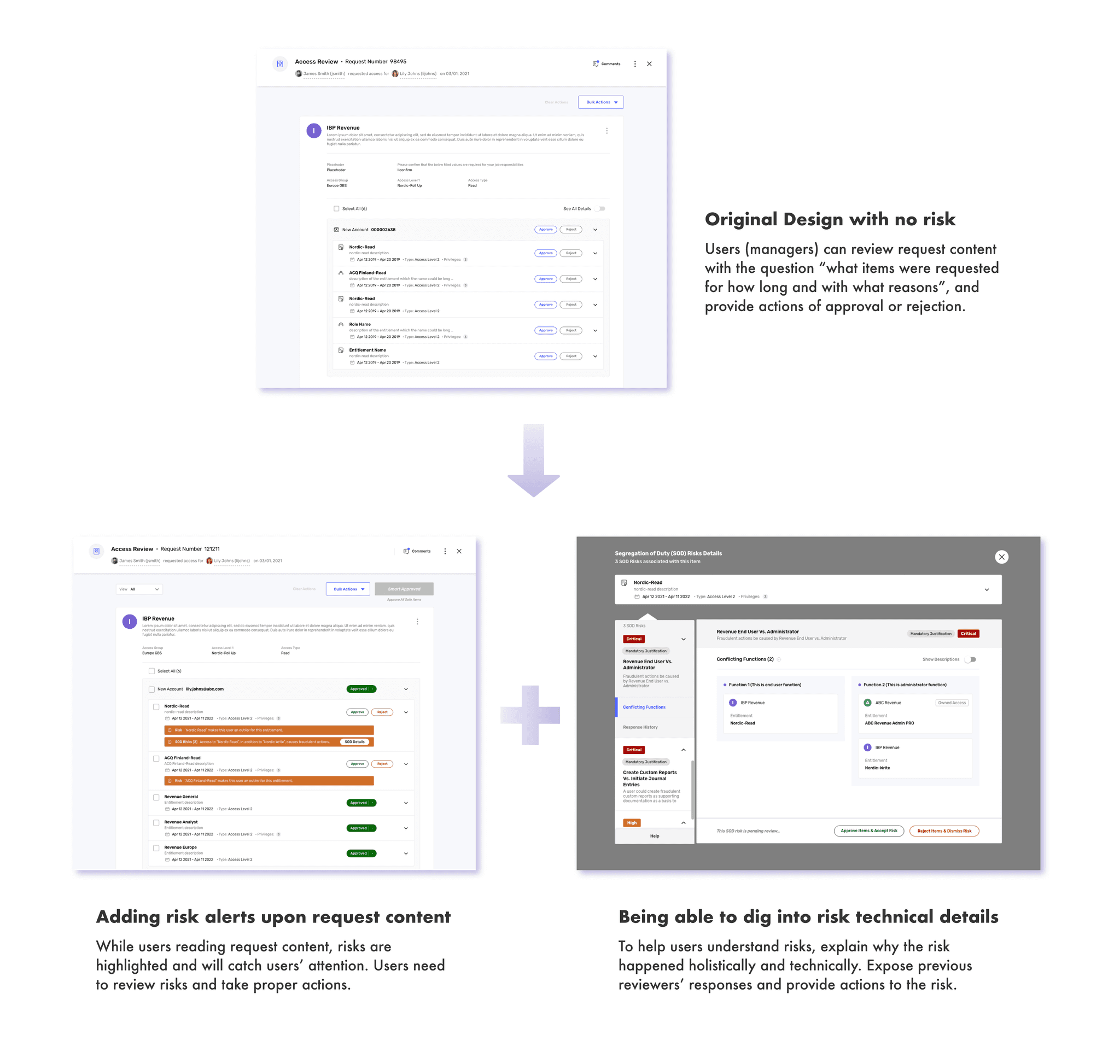
Previously, the Request Review flow was designed without risk considerations. However, with risk now enabled in our system, the review process has become a critical touchpoint for presenting and explaining risks to users. By providing relevant risk information within the flow, users can make informed decisions on whether to approve or reject access requests.
Original Design
The original design did not include risk information. The new requirement is to incorporate risk details to provide approvers with better context, enabling them to make informed risk-based decisions.
Understand User Story
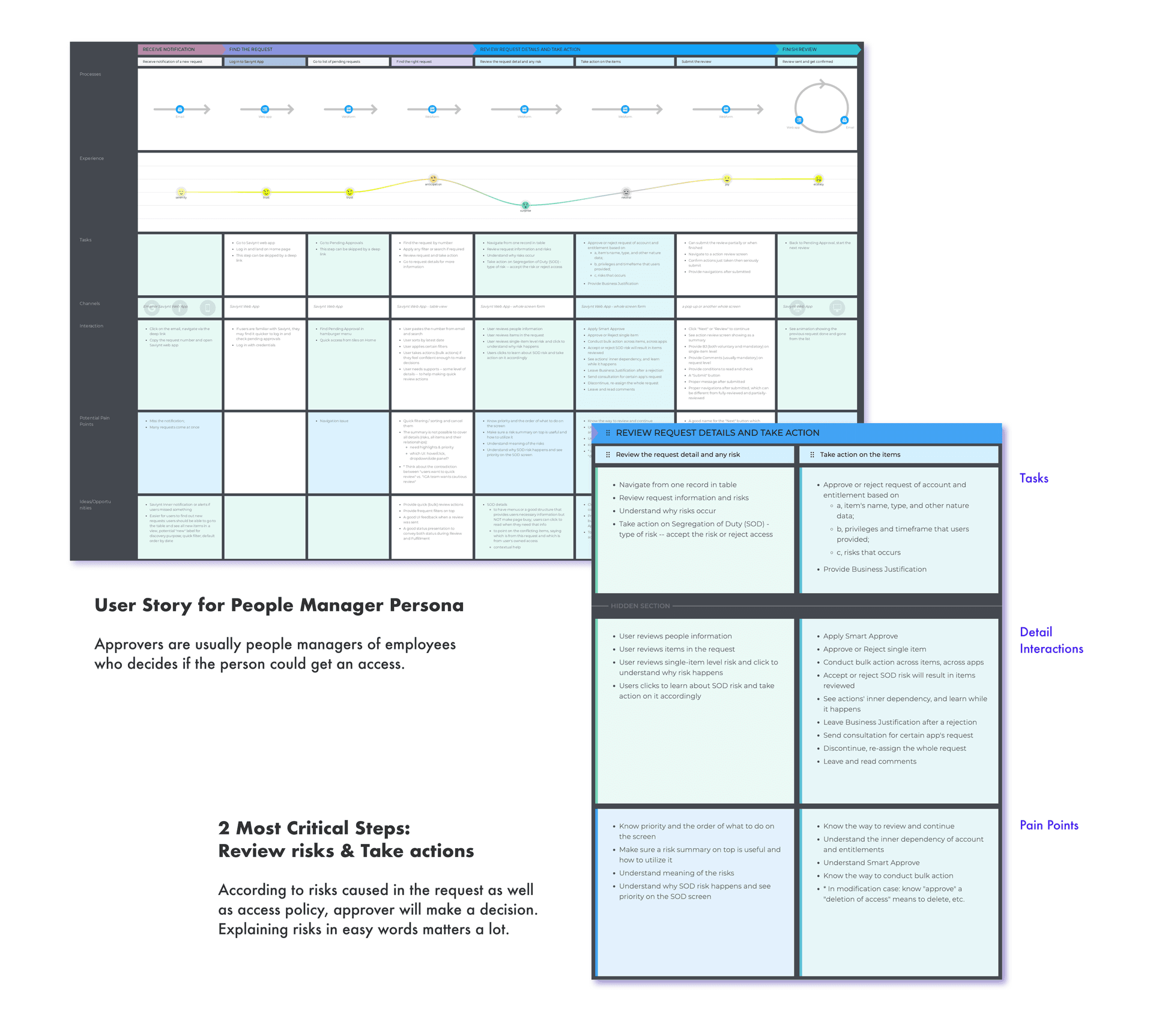
The project focuses on Approvers, who are responsible for reviewing employee requests. Approvers are typically people managers overseeing their employees' access requests. The review process begins when Approvers receive a notification or locate a request number in their pending list. It concludes when they take appropriate action—either approving or rejecting each access request.
User Testing Results
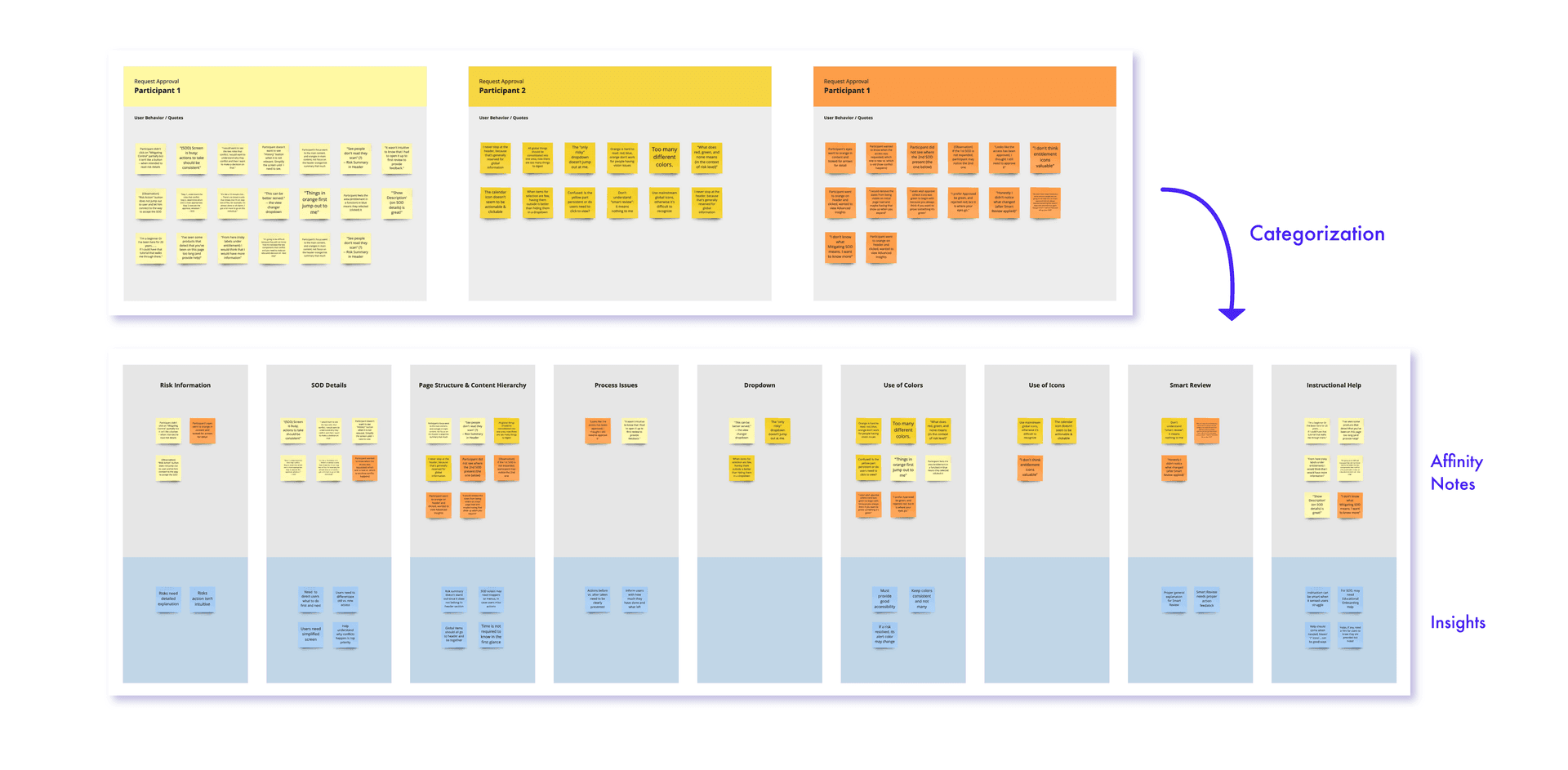
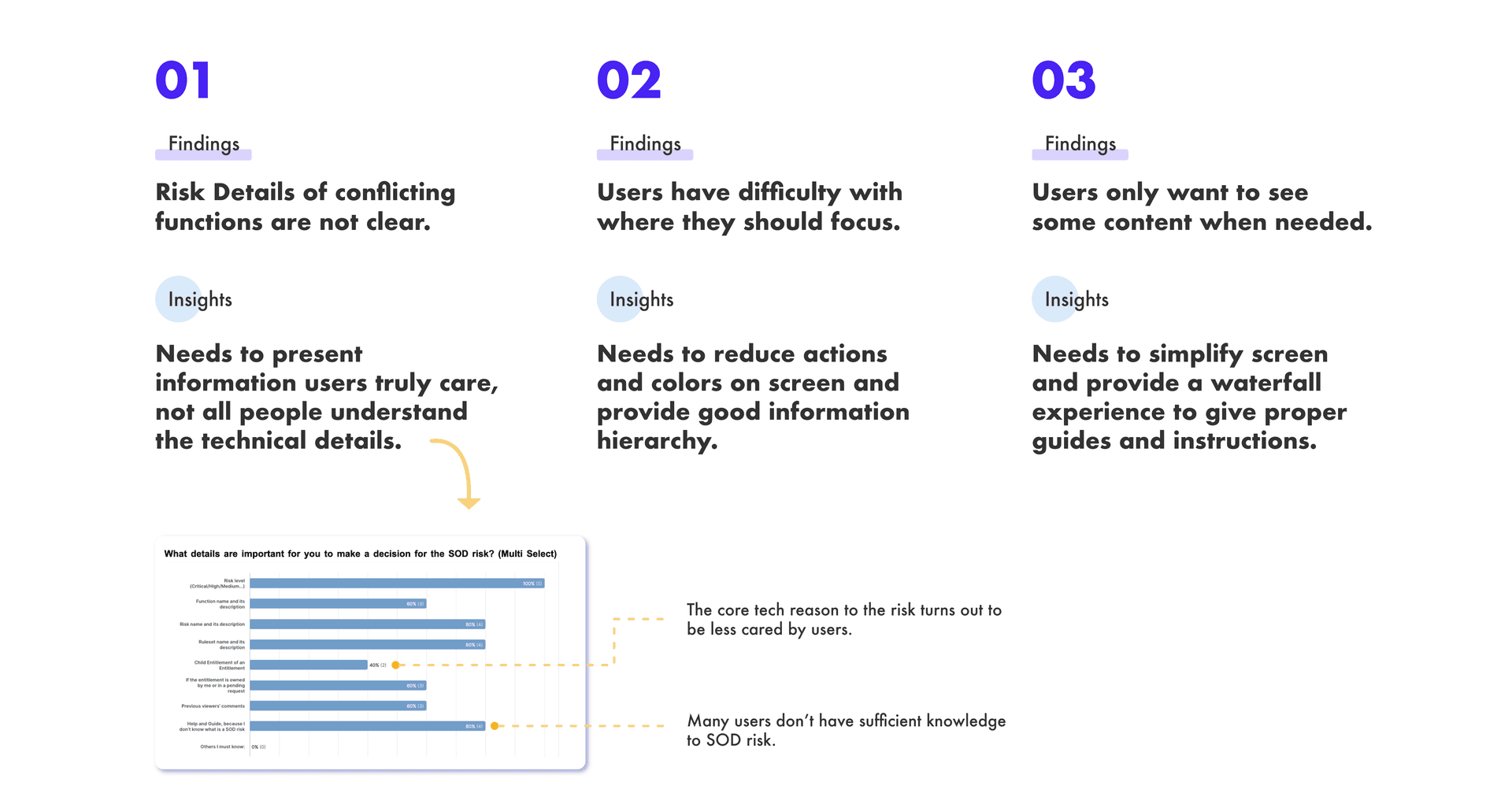
Conducted a moderated usability test with six participants from two clients. Organized affinity notes from their feedback and gathered key insights for improvements.
Challenges
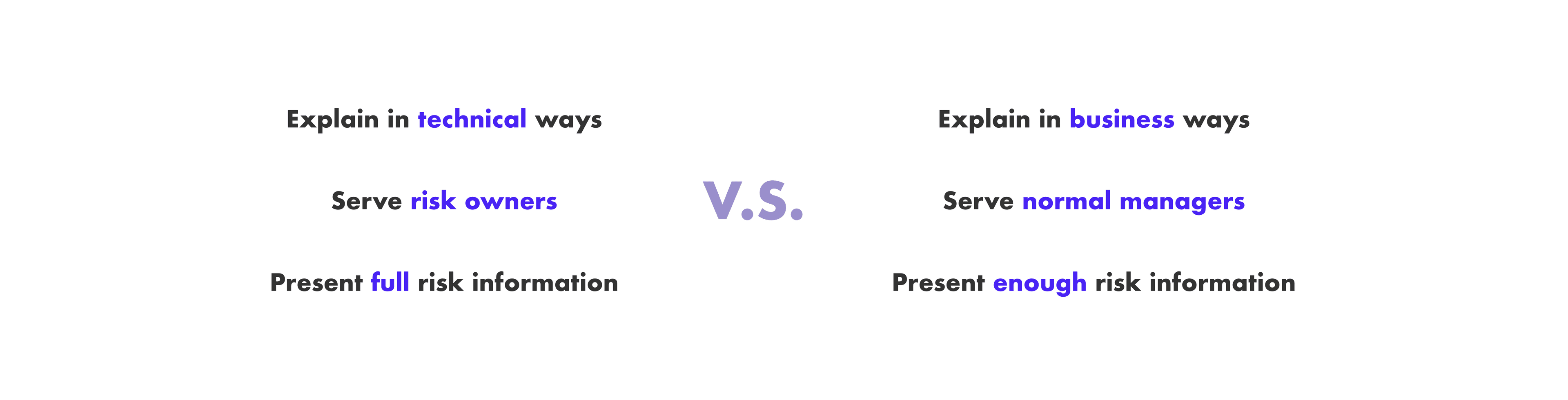
The primary challenge lies in balancing technical complexity with business simplicity.
Discovered...
This group has limited knowledge of risk and may not prioritize it. Their primary focus is reviewing requests based on whether an employee’s role should have access.
This group is responsible for setting up risk rules, reviewing risks, and ensuring security compliance within the company.
The two personas do not split the work — they sit at different depths of the same review. People Managers own every request; Risk Owners are brought in only when a request outgrows the manager's risk knowledge. That relationship became the backbone of the design.
Ideation
Ah-ha Moment: it is a Risk Escalation process!
In interviews, no one decided once. Reviewers went deeper until they could act — and when they ran out of knowledge, they asked the person who owned the rule. That is not one screen serving two personas. It is one review that escalates.
How do we involve both personas in one request — without building two products?
The answer was re-assignment. The manager reviews as far as their knowledge goes, then hands the review to a Risk Owner — temporarily, for this request only. It comes back.
Designing the risk explanation at each depth
Sketched the pages depth by depth against one question: how much explanation does this reader need before they can act?
- People Managers (70%) — know the employee and the job, not the risk model. One line carries them: what the risk is, and who it touches.
- Risk Owners (30%) — wrote the rules. They need the full spec, and how each risk associates with the others.
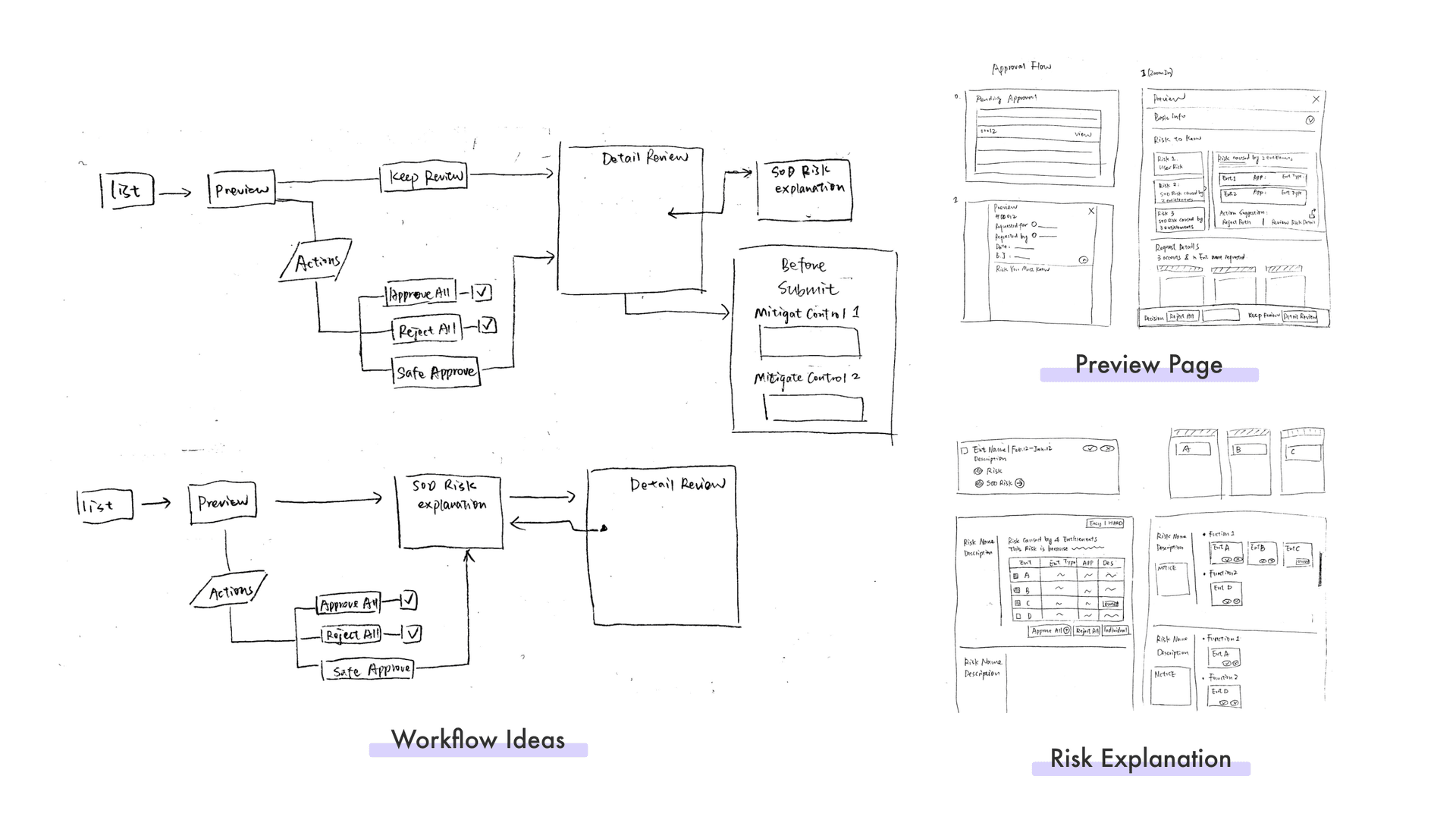
So the same risk is written twice — a sentence at the surface, the full spec underneath. Disclosing everything up front would fail both readers: managers cannot use it, and Risk Owners are not there yet.
Final Design
Label the risk in the list, and let Safe Approve clear the rest
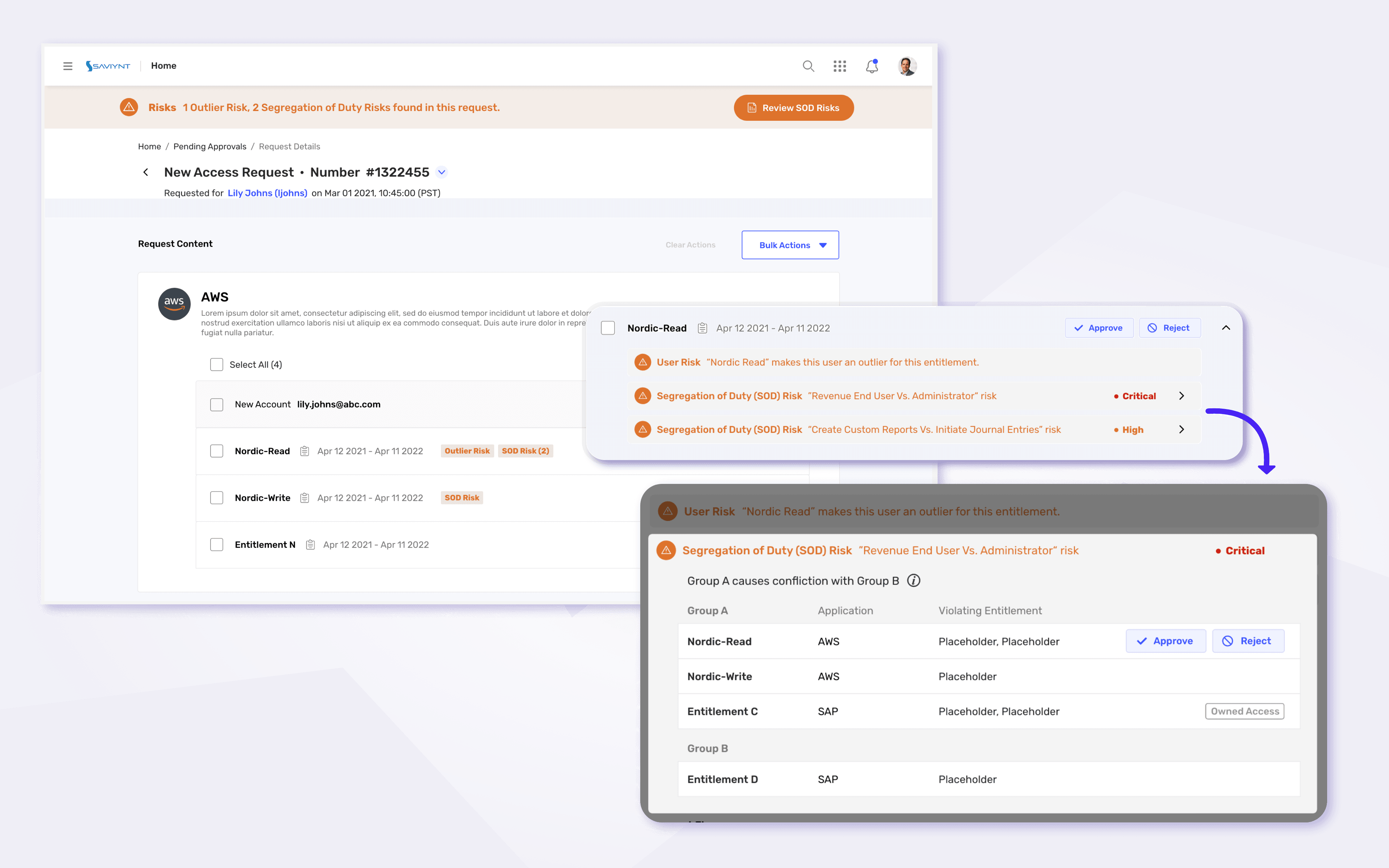
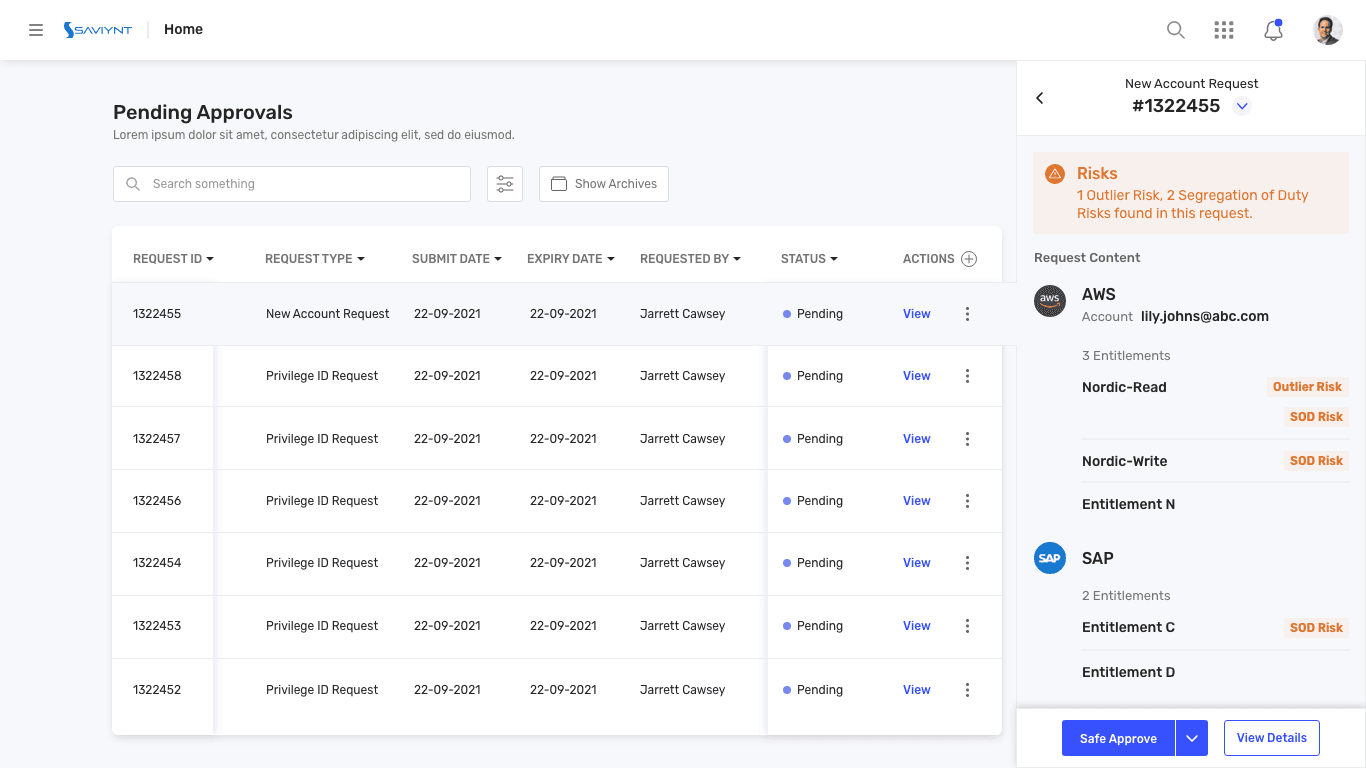
Every request carries its risk label in the table view — SOD Risk (segregation of duty), Outlier Risk — so a reviewer with no risk background can triage the queue at a glance. Without opening anything, a People Manager can hit Safe Approve: it approves only the access that carries no risk, and leaves the risky items pending.
Make dangerous approvals harder than safe ones
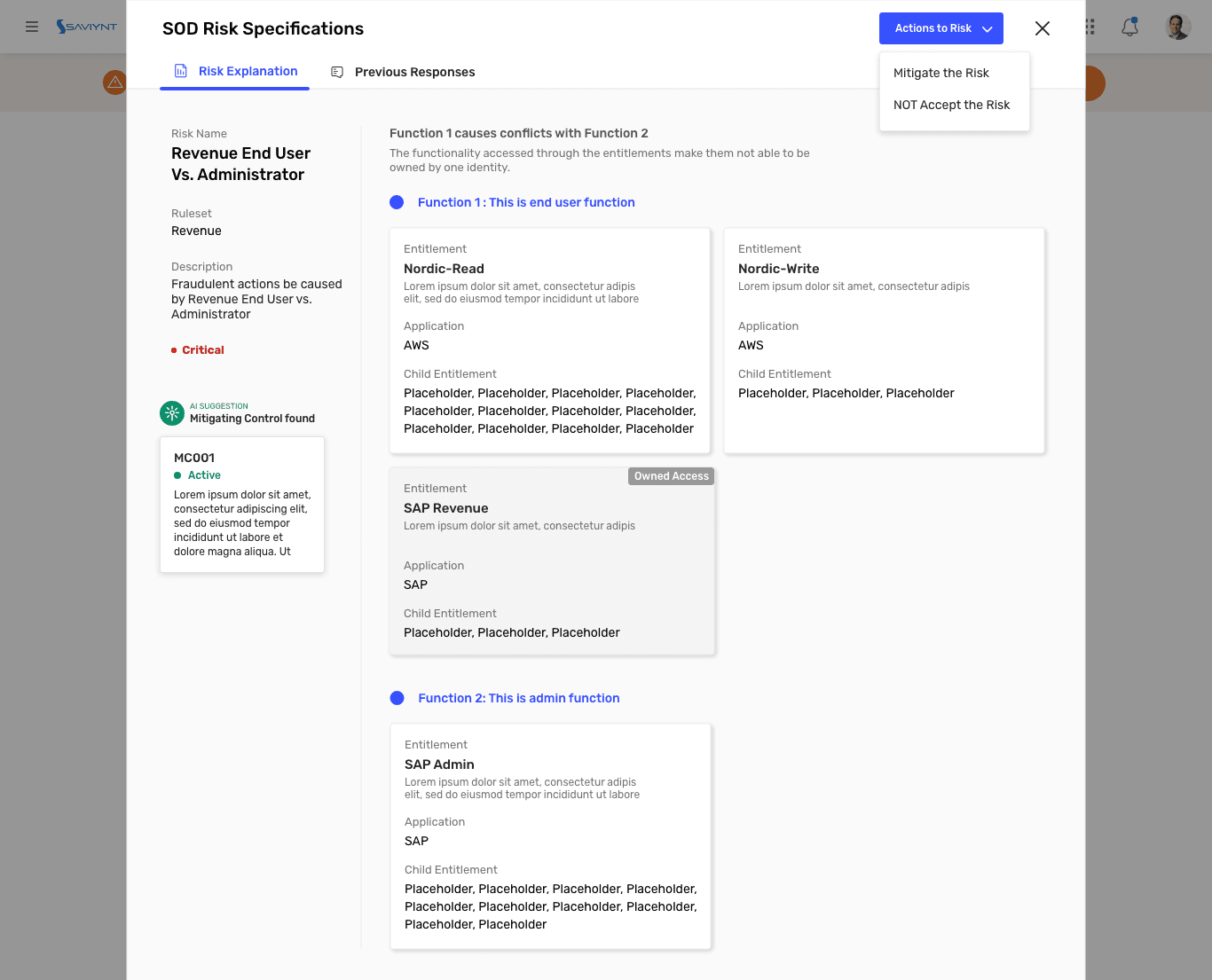
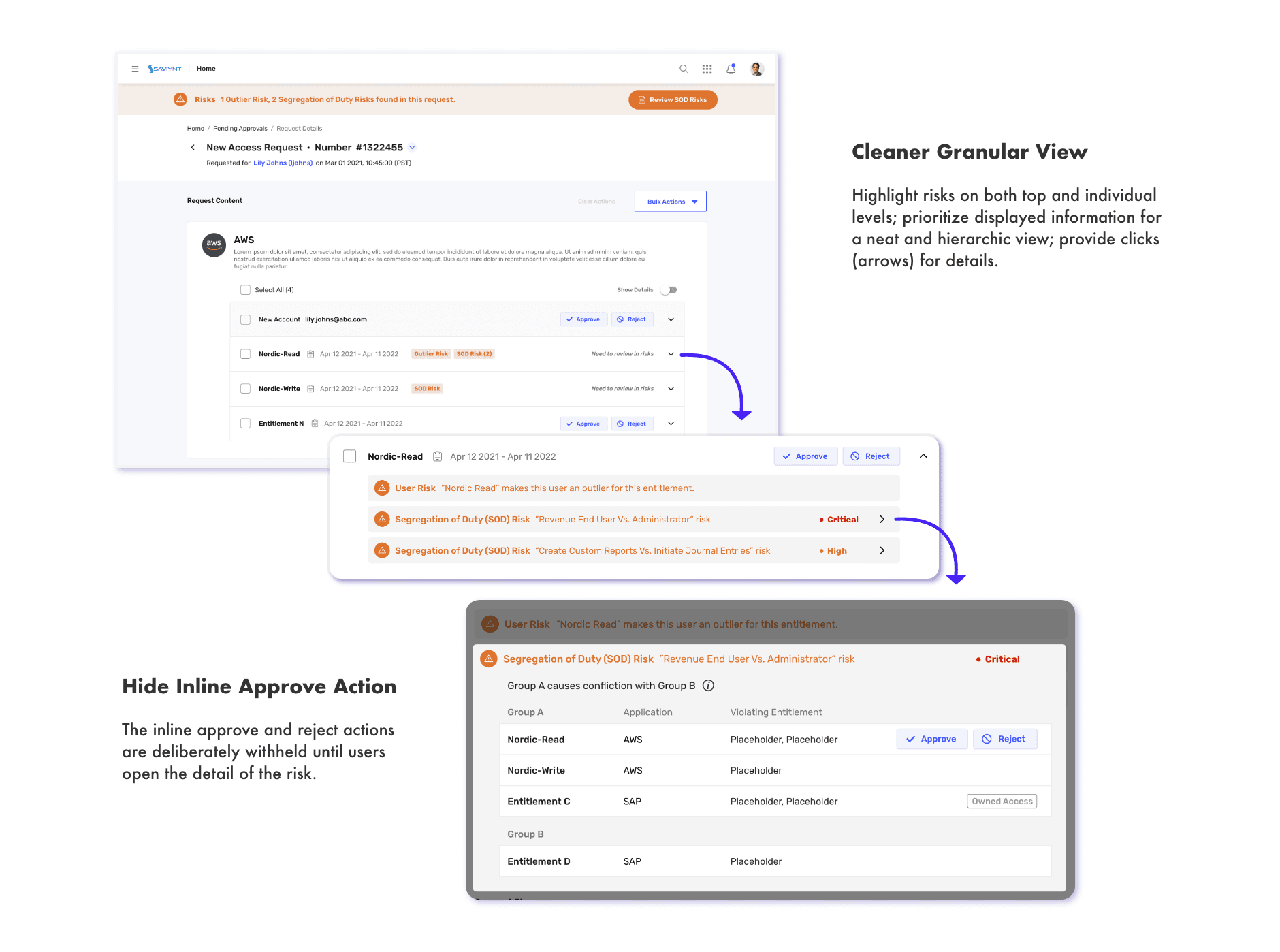
For High and Critical requests, the inline approve is deliberately withheld. Opening the access reveals a single plain-language line: what the risk is, and who it affects. If the manager wants the full risk spec — a third layer, needed in about 5% of reviews — they can go one level deeper, and the approval action repeats there, so no one has to climb back out to act. The friction is targeted: it costs nothing on the 80% of routine requests and buys real attention on the ones that can hurt.
Escalate to Risk Owners when needed
When the detail view still is not enough, the manager assigns the review to a Risk Owner, who picks it up in the full risk page with the mitigation tools they need. The manager keeps visibility of the request and its status the whole time, and the decision returns to them.